Tag: SEO

  • Digital Marketing Full Forms: Every Abbreviation You Must Know

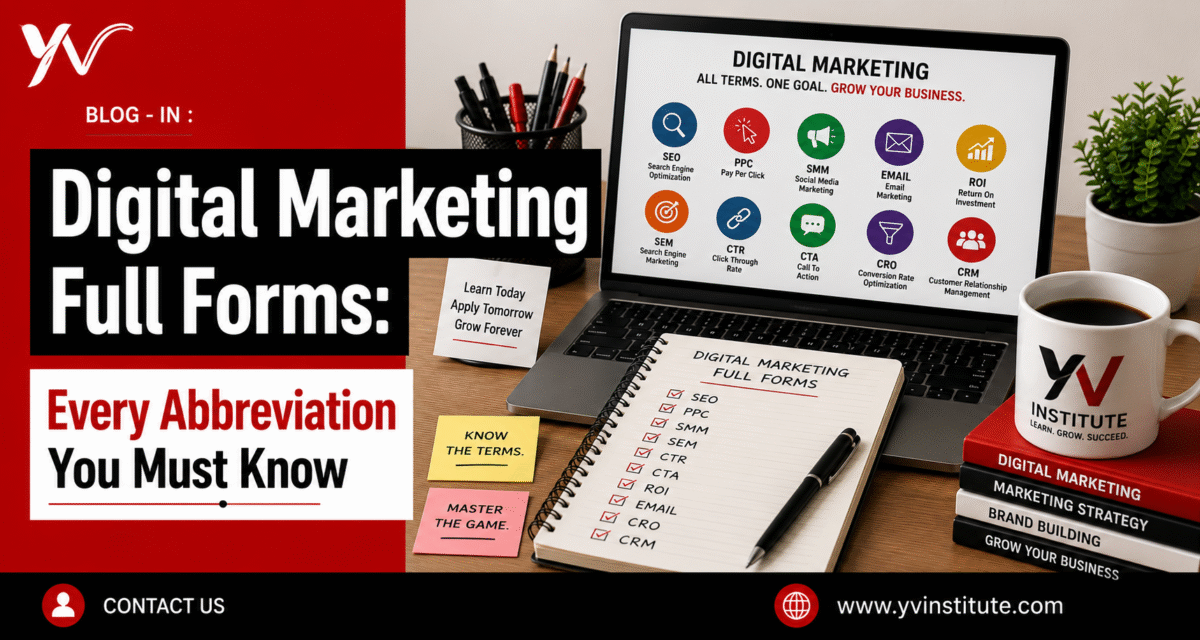
    Digital Marketing Full Forms: Every Abbreviation You Must Know

    Ever sat in a meeting and nodded along while someone rattled off CTR, ROAS, SEM, CPA and had no clue what half of it meant? You are not alone. Digital marketing runs on acronyms, and if you do not know what they stand for, you cannot use them strategically. This guide covers every important digital marketing full form with plain explanations, no fluff.

    Why Knowing Digital Marketing Full Forms Actually Matters
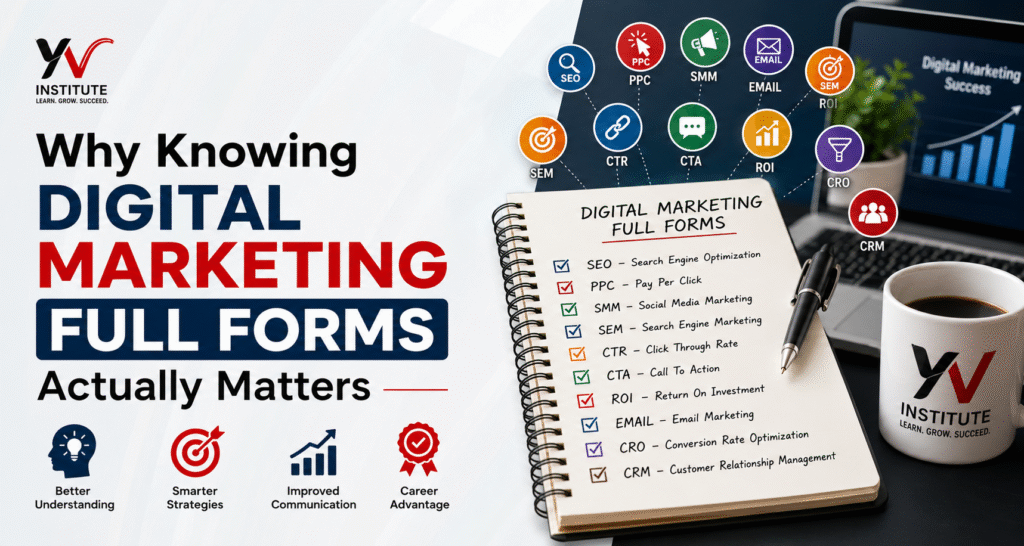
    Digital marketing is one of the fastest-moving industries on the planet. Strategies shift, platforms evolve, and new tools pop up every quarter. But the abbreviations stick around and they are the backbone of how marketers communicate with each other, with clients, and with leadership. When you do not know what CPC or SERP means, you cannot interpret reports. You cannot have a meaningful conversation with your agency. You cannot make smart decisions with your ad budget. Knowing your full forms is not just academic it is practical.

    Key Point: Knowing the full form is step one. Understanding what it measures and why it matters is step two. This guide gives you both.

    SEO, SEM and Search-Related Full Forms

    Search is the foundation of online visibility. These are the terms you will encounter the most often in job descriptions, reports, and strategy calls.

    SEO — Search Engine Optimization

    The process of improving a website’s organic (unpaid) visibility in search engine results. Includes on-page, off-page, and technical SEO.

    SEM — Search Engine Marketing

    Broader than SEO includes both paid ads (like Google Ads) and organic search strategies. Many people use SEM to specifically mean paid search.

    SERP — Search Engine Results Page

    The page Google (or any search engine) shows you after a search query. Ranking on Page 1 of SERP is the goal of SEO.

    LSI — Latent Semantic Indexing

    Related keywords that help search engines understand the context of your content. Using LSI keywords improves topical relevance.

    DA — Domain Authority

    A Moz metric (1-100) predicting how likely a website is to rank in search results. Higher DA = stronger site in Google’s eyes.

    DR — Domain Rating

    Ahrefs’ version of DA measures the backlink profile strength of a website.

    PA — Page Authority

    Moz metric for an individual page’s ranking strength, separate from the overall domain.

    BERT — Bidirectional Encoder Representations from Transformers

    Google’s AI model that better understands natural language context in search queries.

    Advertising and Paid Media Full Forms

    If you are running paid campaigns on Google Ads or Meta Ads, these terms show up in every dashboard and invoice. Get these wrong and you will misread your campaign performance entirely.

    PPC — Pay-Per-Click

    An advertising model where you pay only when someone clicks your ad.

    CPC — Cost Per Click

    The actual amount you pay for each click on your ad.

    CPM — Cost Per Mille (Cost Per 1,000 Impressions)

    How much you pay for 1,000 ad views. Common in display and brand awareness campaigns.

    CPA — Cost Per Acquisition

    How much it costs to acquire one customer or lead through paid advertising.

    ROAS — Return on Ad Spend

    Revenue generated per rupee/dollar spent on ads. If ROAS is 4x, you earned Rs 4 for every Rs 1 spent.

    ROI — Return on Investment

    Broader than ROAS measures profit from total investment, not just ad spend.

    DSP — Demand-Side Platform

    Software that lets advertisers buy digital ad inventory programmatically.

    SSP — Supply-Side Platform

    Used by publishers to manage and sell their ad inventory to advertisers.

    RTB — Real-Time Bidding

    An auction that happens in milliseconds, determining which ad shows to a user on a webpage.

    Analytics and Performance Metric Full Forms

    These are the metrics inside Google Analytics, Search Console, and every marketing report your team will ever share. Numbers do not lie but only if you know what they are measuring.

    CTR — Click-Through Rate

    Percentage of people who clicked your link out of everyone who saw it. High CTR means your headline or ad is compelling.

    CVR / CR — Conversion Rate

    Percentage of visitors who completed a desired action purchase, signup, or form fill.

    KPI — Key Performance Indicator

    Measurable targets used to track progress toward a specific business goal.

    GA4 — Google Analytics 4

    Google’s current analytics platform. Event-based, with cross-platform tracking across web and app.

    GTM — Google Tag Manager

    A tag management system that lets you add or update tracking codes on your website without touching the code directly.

    UTM — Urchin Tracking Module

    Parameters added to URLs to track where your traffic is coming from in analytics tools.

    CAC — Customer Acquisition Cost

    Total cost to acquire one new customer, including all marketing, sales, and ad spend.

    LTV / CLV — Customer Lifetime Value

    The total revenue a business expects from one customer over their entire relationship. The most important ratio: LTV should be at least 3x CAC.

    NPS — Net Promoter Score

    A loyalty metric that measures how likely customers are to recommend your brand to others.

    CRM, Email and Marketing Automation Full Forms

    These tools and concepts separate one-time campaigns from long-term customer relationships. If you are doing email marketing or managing leads, these full forms are non-negotiable.

    CRM — Customer Relationship Management

    Software (like HubSpot, Salesforce, Zoho) used to track and manage customer interactions and data.

    ESP — Email Service Provider

    A platform for sending marketing emails e.g., Mailchimp, Klaviyo, SendGrid.

    MA — Marketing Automation

    Using software to automatically send emails, segment lists, and run drip campaigns based on user behavior.

    MQL — Marketing Qualified Lead

    A lead that marketing has identified as likely to become a customer, based on their behavior and engagement.

    SQL — Sales Qualified Lead

    A lead the sales team has vetted and considers ready for a direct sales conversation.

    TOFU / MOFU / BOFU — Top / Middle / Bottom of Funnel

    Stages of the buyer journey: Awareness (TOFU), Consideration (MOFU), and Decision (BOFU).

    CTA — Call to Action

    A prompt that tells the audience what to do next Buy Now, Sign Up, Learn More, Get a Free Quote.

    Social Media Marketing Full Forms

    SMM — Social Media Marketing

    Using social platforms like Instagram, LinkedIn, and X (Twitter) to promote products and build brand presence.

    SMO — Social Media Optimization

    Optimizing social profiles and content to increase visibility and organic engagement.

    UGC — User-Generated Content

    Content created by customers or followers reviews, photos, unboxings that brands can repurpose.

    ER — Engagement Rate

    Percentage of people who interacted with your post (likes, comments, shares) vs. total reach.

    ORM — Online Reputation Management

    Monitoring and shaping how your brand appears online across reviews, mentions, and social comments.

    KOL — Key Opinion Leader

    Industry experts or influencers whose opinions carry significant weight with a target audience.

    E-Commerce and Conversion Full Forms

    CRO — Conversion Rate Optimization

    The practice of improving your website to turn more visitors into buyers or leads.

    AOV — Average Order Value

    The average amount customers spend per transaction. Higher AOV means more revenue without more traffic.

    ARR — Annual Recurring Revenue

    Predictable revenue a business expects to earn annually common in SaaS and subscription models.

    MRR — Monthly Recurring Revenue

    Consistent monthly revenue from subscriptions. A key health metric for subscription businesses.

    UX — User Experience

    How easy, intuitive, and enjoyable a website or app is to use. Directly affects conversion rates.

    UI — User Interface

    The visual elements a user interacts with buttons, menus, forms, and layouts.

    Content Marketing Full Forms

    CM — Content Marketing

    Creating valuable content blogs, videos, podcasts to attract and retain a defined audience.

    ICP — Ideal Customer Profile

    A detailed description of the exact type of customer who gets the most value from your product.

    E-E-A-T — Experience, Expertise, Authoritativeness, Trustworthiness

    Google’s quality signal framework for evaluating content credibility. Important for ranking in 2026.

    PR — Public Relations

    Managing a brand’s public narrative and media mentions. Increasingly overlaps with digital SEO through link building.

    RSS — Really Simple Syndication

    A feed that lets users subscribe to blog or podcast updates automatically.

    Master Reference — All Digital Marketing Full Forms

    Master Reference — All Digital Marketing Full Forms

    Bookmark this list for quick reference.

    • SEO — Search Engine Optimization  [Search]
    • SEM — Search Engine Marketing  [Search]
    • SERP — Search Engine Results Page  [Search]
    • LSI — Latent Semantic Indexing  [Search]
    • DA — Domain Authority  [SEO]
    • DR — Domain Rating  [SEO]
    • PA — Page Authority  [SEO]
    • BERT — Bidirectional Encoder Representations from Transformers  [Search/AI]
    • PPC — Pay-Per-Click  [Advertising]
    • CPC — Cost Per Click  [Advertising]
    • CPM — Cost Per Mille  [Advertising]
    • CPA — Cost Per Acquisition  [Advertising]
    • ROAS — Return on Ad Spend  [Advertising]
    • ROI — Return on Investment  [Advertising]
    • DSP — Demand-Side Platform  [Advertising]
    • SSP — Supply-Side Platform  [Advertising]
    • RTB — Real-Time Bidding  [Advertising]
    • CTR — Click-Through Rate  [Analytics]
    • CVR — Conversion Rate  [Analytics]
    • KPI — Key Performance Indicator  [Analytics]
    • GA4 — Google Analytics 4  [Analytics]
    • GTM — Google Tag Manager  [Analytics]
    • UTM — Urchin Tracking Module  [Analytics]
    • CAC — Customer Acquisition Cost  [Analytics]
    • LTV/CLV — Customer Lifetime Value  [Analytics]
    • NPS — Net Promoter Score  [Analytics]
    • CRM — Customer Relationship Management  [Email/CRM]
    • ESP — Email Service Provider  [Email]
    • MA — Marketing Automation  [Email]
    • MQL — Marketing Qualified Lead  [Leads]
    • SQL — Sales Qualified Lead  [Leads]
    • CTA — Call to Action  [Content/Email]
    • SMM — Social Media Marketing  [Social]
    • SMO — Social Media Optimization  [Social]
    • UGC — User-Generated Content  [Social]
    • ER — Engagement Rate  [Social]
    • ORM — Online Reputation Management  [Social]
    • KOL — Key Opinion Leader  [Social]
    • CRO — Conversion Rate Optimization  [E-Commerce]
    • AOV — Average Order Value  [E-Commerce]
    • ARR — Annual Recurring Revenue  [E-Commerce]
    • MRR — Monthly Recurring Revenue  [E-Commerce]
    • UX — User Experience  [E-Commerce]
    • UI — User Interface  [E-Commerce]
    • E-E-A-T — Experience, Expertise, Authoritativeness, Trustworthiness  [Content/SEO]
    • ICP — Ideal Customer Profile  [Content]

    Conclusion — What You Should Take Away

    Digital marketing is built on a shared vocabulary. When you know what the abbreviations mean and more importantly, what they measure you stop being a passive participant in meetings and start being someone who can actually steer the strategy.

    Here is what to remember from this guide:

    • SEO, SEM, and SERP define how you show up in search.
    • PPC, CPC, CPM, and ROAS define how efficiently you spend on ads.
    • CTR, CR, and KPI tell you if your campaigns are actually working.
    • CRM, MQL, and SQL bridge the gap between marketing and sales.
    • UGC, SMM, and ORM shape your brand in the social world.
    • CRO, AOV, and LTV determine the health of your business model.

    You do not need to memorize all of these on day one. Bookmark this page, refer to the master list when you come across an unfamiliar term, and revisit the explanations when context matters.

    FAQ

    Q1. What is the full form of SEO in digital marketing?

    SEO stands for Search Engine Optimization. It is the process of improving a website’s content, structure, and authority so it ranks higher in organic (unpaid) search engine results primarily on Google. SEO includes on-page optimization (content, keywords, meta tags), off-page optimization (backlinks), and technical SEO (site speed, mobile-friendliness, schema markup).

    Q2. What is the difference between SEO and SEM?

    SEO focuses on organic (free) search visibility you earn rankings through quality content and backlinks. SEM is the broader umbrella that includes both organic SEO and paid advertising (like Google Ads/PPC). In short: all SEO is SEM, but not all SEM is SEO. Many marketers use SEM specifically to refer to paid search campaigns.

    Q3. Which digital marketing full forms are most important for beginners?

    If you are just getting started, focus on these 10 first: SEO, SEM, PPC, CTR, CPC, CPA, ROI, CRM, CTA, and KPI. These appear in almost every job role, campaign report, and client conversation. Once you are comfortable with these, move on to ROAS, LTV, UTM, MQL, and CRO the next tier that separates intermediate marketers from beginners.

  • How Local SEO Can Help Small Businesses Get More Leads in 2026

    How Local SEO Can Help Small Businesses Get More Leads in 2026

    SEO course in Kanpur is becoming one of the most in-demand skill programs in 2026 for students and business owners. If you run a small business in 2026, you’ve probably noticed one big change: customers don’t walk in blindly anymore. They search first.

    Before visiting a shop, booking a service, or even making a phone call, people check Google. They look at ratings, reviews, and photos and sometimes even compare three or four options before deciding.

    Now imagine this: someone in your area is searching for exactly what you offer but your business doesn’t appear anywhere in the results. That’s not just a visibility issue. That’s a lost customer. This is where local SEO makes a real difference.

    seo course in kanpur training program

    It’s Not About Ranking Everywhere — Just Where It Matters

    Many business owners think SEO means competing with big national brands. That’s not what local search is about.

    Local SEO focuses on helping your business appear when someone nearby searches for your service. For example, when a person types “best bakery near me” or “plumber in Kanpur”, Google shows businesses that are relevant and close to that location.
    If your online presence is properly set up, you have a strong chance of appearing in those results, especially in the map listings at the top. And those top three map results? They get most of the attention.

    Why It Works So Well for Small Businesses

    Here’s the good part: Local SEO doesn’t require a massive budget. You don’t need to outspend large companies. You just need to be relevant, accurate, and trustworthy in Google’s eyes.

    When your business profile is complete, your contact details are consistent, and your website clearly mentions your services and location, search engines understand what you do and who you serve.

    The result? You show up when it matters most, when someone is actively looking. That’s the key difference. These aren’t random visitors. These are high-intent customers.

    Real-World Example

    Take educational institutes as an example. Over the last few years, more students have started searching online before enrolling in any programme. Instead of relying only on banners or offline promotion, they type specific queries into Google.

    Many learners now search for an SEO course in Kanpur to find local training options. The institutes that have optimised websites, clear course pages, and strong local signals naturally receive more enquiries. The same pattern applies to restaurants, clinics, gyms, salons, repair shops and almost every small business category.If people can’t find you online, they’ll choose someone they can find.

    Reviews Are Quietly Doing Half the Work

    Another thing that has changed in 2026: trust is built digitally. A business with strong reviews instantly feels safer to choose. Even a difference between a 3.9 rating and a 4.7 rating can impact decisions.

    Local SEO isn’t just about keywords. It’s also about reputation. Encouraging satisfied customers to leave honest feedback and responding to reviews sends positive signals to both users and search engines. It shows that your business is active and real.

    It’s slower than ads — but more stable.

    Paid ads can bring quick traffic, but once you stop paying, the visibility disappears.

    Local SEO takes effort and consistency. You won’t see magic results overnight. But once your rankings improve and your profile gains authority, leads start coming more naturally.

    Many business owners are now trying to understand how search rankings actually work. That’s one reason interest in programmes like an SEO course in Kanpur has increased. Entrepreneurs want to know how they can improve visibility without depending entirely on agencies. Knowledge gives control. Choosing the right SEO course in Kanpur can completely change your career direction in 2026.

    The Bottom Line

    In 2026, local search is often the first step in the customer journey. If your business appears at the right time, you gain a serious advantage. If it doesn’t, your competitors benefit instead.

    Local SEO helps small businesses compete in their own area, attract ready-to-buy customers, and build long-term visibility. It’s not about chasing the entire internet.

    It’s about being visible to the people right around you. And for most small businesses, that’s exactly where growth begins.

  • Top 10 Free Tools Every Digital Marketing Student Should Know in 2026

    Top 10 Free Tools Every Digital Marketing Student Should Know in 2026

    Are you a beginner learning digital marketing in Kanpur? Confused about which tools to use without spending a lot of money?

    Good news — you don’t need expensive software to start your journey. In fact, there are powerful free tools that digital marketers across the world (including students at YV Digital Marketing Institute, Kanpur) use every day to learn, practice, and get real results.

    Whether you’re learning from home, school, or a classroom in YV Institute, this guide will give you a solid list of tools that help you become job-ready from Day 1.

    Let’s explore the top 10 free digital marketing tools every beginner must use — with simple explanations and student-friendly use cases.

    1. Canva – For Creating Stunning Graphics

    Canva is an online graphic design tool that helps you easily create professional-looking visuals without needing advanced design skills or expensive software. Whether you’re working on Instagram posts, YouTube thumbnails, Facebook ads, brochures, resumes, infographics, or presentation slides — Canva is an amazing and easy-to-use digital marketing tool that helps you design professional graphics for social media, blogs, ads, and more.

    Why Use It as a Beginner?

    • No Design Skills Needed:
      Canva’s drag-and-drop interface is super simple. You don’t need to know Photoshop or CorelDRAW — you just click, drag, and edit. It’s perfect for students and non-designers.
    • Thousands of Free Templates:
      Canva gives you access to pre-designed templates for nearly every content type — social media posts, YouTube banners, resumes, stories, posters, business cards, and more. You can edit them with your own text, photos, and brand colors.
    • Built-in Graphics, Fonts & Icons:
      You get access to a huge library of free images, icons, fonts, and stickers, so you don’t need to download anything separately.
    • Multi-Platform Ready:
      You can easily export your designs for use on Instagram, Facebook, YouTube, LinkedIn, or even as a PDF for print. Canva automatically sets the right size for each platform.

    2. Google Analytics – Track Website Visitors

    Use Case:

    Google Analytics is a free and powerful tool by Google that helps you track and analyze your website traffic. As a digital marketing student, it’s essential to understand how visitors interact with your site — and this tool makes that possible.

    Why Use It?

    • Real-Time Traffic Monitoring:
      Want to see how many people are on your website right now? Google Analytics shows real-time visitor data, including their location, device, and the pages they’re browsing.
    • Traffic Source Tracking:
      Know exactly where your visitors are coming from — whether it’s Google Search, Instagram, YouTube, Facebook, email campaigns, or direct visits. This helps you understand which marketing channel is working best.
    • Content Performance Insights:
      You can see which blog posts or pages are performing well and which ones need improvement. This helps you create more of what your audience loves.
    • Understand User Behavior:
      Track how long visitors stay, what they click on, and where they exit. This gives you valuable insights to optimize user experience and conversions.

    3. Ubersuggest – Find Easy SEO Keywords

    Use Case:

    Ubersuggest by Neil Patel is a great tool for beginners learning SEO. It simplifies keyword research, gives content ideas, and even offers a basic site audit feature.

    Why Use It?

    • Find Low-Competition Keywords:
      Ubersuggest helps you discover long-tail keywords that are easier to rank for. This is perfect for students writing beginner blogs or optimizing small websites.
    • Get Blog & Content Ideas:
      Just enter a keyword like “digital marketing course in Kanpur” and Ubersuggest gives you content suggestions, headline ideas, and questions people are searching on Google. This is perfect for planning blog content.
    • Competitor Research:
      You can analyze what keywords your competitors are ranking for, check their top pages, and see their backlink profile. This helps you create a smarter strategy.
    • SEO Audit in One Click:
      Ubersuggest offers a free SEO audit of any site, showing you errors, speed issues, and optimization tips. Students use this feature to practice technical SEO and learn how to fix real issues.

    4. Google Search Console – Monitor Your Site on Google

    Google Search Console (GSC) is a must-have SEO and Digital Marketing tool for tracking how your website performs in Google Search. If you’re a student learning digital marketing in Kanpur, this tool will help you understand your site’s visibility and fix issues that may affect your rankings.

    Why Use It?

    • Track Ranking Keywords:
      Google Search Console shows you which keywords your pages are ranking for, how many people saw your link (impressions), how many clicked (CTR), and your average position in Google. This helps you measure SEO success and improve your content.
    • Fix Crawling & Indexing Issues:
      Sometimes, Google can’t properly access your site pages. GSC helps you identify crawl errors, broken links, mobile usability issues, or indexing problems, and gives suggestions on how to fix them.
    • Submit Sitemaps:
      You can submit your website’s XML sitemap to Google, helping search engines discover your pages faster. It’s like giving Google a roadmap to your entire website.
    • Boost Performance with Insights:
      Monitor your site’s click-through rate (CTR) and impressions to understand which pages perform well and which need optimization.

    5. AnswerThePublic – Find Content Ideas That People Care About

    Use Case:

    AnswerThePublic is a powerful free tool that helps you discover real questions and search queries people are typing into Google. It’s perfect for generating blog topics, video content ideas, Instagram captions, or even Quora answers — all based on actual user intent.

    Why Use It?

    • Know What People Are Really Searching For:
      Instead of guessing, you get to see questions, comparisons, and prepositions related to a keyword. For example, if you search “SEO course,” it might show queries like:
      • What is the best SEO course for beginners?
      • How long does it take to learn SEO?
      • SEO course vs digital marketing course
    • Plan SEO-Friendly Blog & Video Content:
      By targeting question-based keywords, you can create content that directly answers what people are already looking for. This improves your Google ranking, boosts your chances of appearing in featured snippets, and increases organic traffic.
    • Discover Long-Tail Keywords & Topic Clusters:
      The tool helps you build content clusters around your main topic. For instance, if your main topic is digital marketing after 12th, you’ll get related queries like:
      • digital marketing course fees after 12th
      • is digital marketing good after commerce?

    6. ChatGPT (Free Version) – Your AI Assistant for Content & Ideas

    Use Case:

    ChatGPT is an AI-powered writing assistant that helps you generate content quickly and creatively. Whether you’re a student writing your first blog, creating Instagram captions, or making ad headlines — ChatGPT makes the process faster and smoother.

    Why Use It?

    • Save Hours of Writing Time:
      ChatGPT can write blog intros, outlines, headlines, ad copy, emails, and more — in just seconds. It’s a huge time-saver, especially when you’re managing multiple tasks as a student.
    • Brainstorm Ideas When You’re Stuck:
      Stuck with writer’s block? ChatGPT helps you come up with:
      • Blog topics
      • Caption ideas
      • Content angles
      • Hashtags
      • Marketing campaign ideas
    • Write Smarter for Social Media & Websites:
      You can use it to write product descriptions, SEO meta tags, FAQs, or even a Google Ads copy — all with just a few prompts.
    • Customize the Tone & Format:
      Want a professional tone? Or a fun Gen-Z tone for Instagram? Just ask — and ChatGPT will adjust the writing style.

    7. Google Trends – Track What’s Popular Right Now

    Use Case:

    Google Trends is a free tool by Google that helps you discover trending topics and rising search keywords — both globally and in your local area like Kanpur. It’s perfect for planning blogs, YouTube videos, Instagram reels, and campaigns based on what people are actually searching for.

    Why Use It?

    • See What’s Trending in Kanpur or India:
      Want to create content that people are already searching for? Google Trends shows hot topics in your area. Example: IPL 2025, Holi celebrations, Digital India week, etc.
    • Compare Multiple Keywords:
      Confused between two blog ideas? You can compare their popularity (e.g., “digital marketing course” vs. “freelance SEO tips”) and choose the one with higher interest.
    • Plan Content Based on Seasons & Events:
      Make the most of trending moments! Whether it’s:
      • Exam season (12th results, CUET tips)
      • Festivals (Diwali offers, Independence Day campaigns)
      • Trends (AI tools, Instagram Reels ideas)
        — this tool helps you stay relevant.

    8. QuillBot – Your Writing Quality Booster

    Use Case:

    QuillBot is a powerful AI-based writing tool that helps you improve your blog content, making it SEO-friendly and easy to read. It works by suggesting better ways to phrase sentences and optimizing content for better search rankings.

    Why Use It?

    • Real-Time SEO & Readability Feedback:
      QuillBot checks your writing for clarity and readability. It gives you suggestions on how to make your content more engaging and easier for readers to understand, which is crucial for improving your SEO ranking.
    • Write Keyword-Rich Meta Titles, Slugs, and Descriptions:
      It helps optimize important SEO elements such as meta titles, slugs (URL), and meta descriptions, ensuring your content is ready to rank well on search engines.
    • Improves Chances of Ranking on Google:
      By refining your content for both SEO and user experience, QuillBot boosts your chances of ranking higher on Google. It ensures you include the right keywords, structure content properly, and maintain good readability.

    9. Mailchimp (Free Plan) – Email Marketing Tool

    Use Case:
    Mailchimp is one of the most popular free tools for sending marketing emails, newsletters, and automated messages to your audience. It’s beginner-friendly and perfect for students and small businesses who want to learn and practice email marketing without spending money.

    Why Use It?

    • Build a Contact List: You can collect email addresses from your website visitors, friends, or customers and create a proper subscriber list. Mailchimp helps you manage that list, segment it, and send the right message to the right people.
    • Create Beautiful Email Templates: Even if you don’t know design, Mailchimp provides ready-made templates. You can use its drag-and-drop editor to design professional-looking emails with your logo, images, buttons, and more.
    • Track Email Performance:Mailchimp gives you detailed reports. You can check how many people opened your email (open rate), clicked on links inside (click-through rate), and even track conversions. This helps you understand what’s working and what’s not.

    Automate Campaigns:
    You can schedule automatic emails—like a birthday wish to a customer or a thank-you email after someone signs up. These automations save time and build better relationships with your audience.

    10. Yoast SEO Plugin (Free for WordPress)

    Use Case:

    The Yoast SEO plugin is one of the most popular SEO tools for WordPress users. It helps you optimize your blog posts and web pages by providing real-time feedback on how well your content is optimized for SEO.

    Why Use It?

    • Real-Time SEO & Readability Feedback:
      Yoast SEO gives you instant feedback as you write your blog posts. It checks for things like keyword usage, internal linking, sentence length, and overall readability, ensuring your content is optimized for search engines and easy to read for your audience.
    • Helps You Write Keyword-Rich Meta Titles, Slugs, and Descriptions:
      This tool guides you in crafting SEO-friendly meta titles, slugs (URLs), and meta descriptions, which are crucial for ranking higher on Google and improving click-through rates from search results.
    • Improves Chances of Ranking on Google:
      By helping you optimize content for both SEO and user experience, Yoast SEO enhances your chances of ranking on the first page of Google search results. It ensures your blog posts are fully optimized with the right keywords and content structure.

    Final Thoughts: Start Strong With These Free Tools

    You don’t need paid software or a big budget to start learning digital marketing. With these top 10 free tools, you can confidently begin your digital journey and build hands-on experience that companies value.

    At YV Digital Marketing Institute, Kanpur, students use these tools in live projects, classroom activities, and internships to gain real-world experience.

    Whether you’re looking to become a freelancer, agency professional, or job-ready expert, these tools will be your best companions in the journey.

    Want to Learn How to Use These Tools Like a Pro?

    Join YV Institute’s Beginner to Advanced Digital Marketing Course in Kanpur
    ✔ Live Projects
    ✔ Tool-Based Training
    ✔ Freelancing & Placement Support

    📞 Call now to book your free demo session!
    🌐 https://yvinstitute.com

  • What is SEO? Beginner’s Guide for Students in Kanpur

    What is SEO? Beginner’s Guide for Students in Kanpur

    Are you a student in Kanpur dreaming of a successful career in the digital world?

    In today’s fast-paced digital economy, Search Engine Optimization (SEO) is one of the most in-demand digital skills. Whether you want to become a freelancer, digital marketer, or start your own online business, learning SEO is the key to unlocking countless opportunities.

    In this guide, we’ll explain what SEO is, how it works, and how students in Kanpur can learn it professionally at the YV Digital Marketing Institute.

    What is SEO?

    SEO (Search Engine Optimization) is the process of improving a website’s visibility on search engines like Google. The goal is to rank higher in search results when someone searches for keywords related to your business, blog, or services.

    For example:
    When someone types “Best digital marketing course in Kanpur” on Google — if your website appears at the top, that’s the magic of SEO.

    In simple words: SEO helps you bring more organic (free) traffic to your website.

    Why is SEO Important in 2025?

    If you’ve ever searched something on Google — like “Best coaching institute in Kanpur” — you probably clicked on one of the first 3 results. Right?

    That’s exactly why SEO (Search Engine Optimization) is so important.

    In fact, studies show that over 75% of users never scroll past the first page of search results. That means if your website isn’t ranking on Page 1, your potential customers may never even know you exist.

    Here’s how SEO makes a big difference — especially for students, freelancers, and local businesses in Kanpur.

    1. Builds Trust and Credibility

    When your website appears at the top of Google, people automatically trust it more. They see it as a reliable and professional source. Good SEO helps you build that online reputation without spending a single rupee on ads.

    Think about it — would you click on the 5th page of Google? Probably not. The top results win trust.

    2. Brings Free, Organic Traffic

    Unlike paid ads that stop when the budget ends, SEO keeps bringing free traffic to your site 24/7. It works like a long-term investment — once your website ranks, it keeps attracting clicks, inquiries, and leads.

    For example:
    A bakery in Swaroop Nagar, Kanpur, optimized their website for “custom cakes in Kanpur” — and now they get orders daily just from Google searches. No ads needed!

    3. Highly Cost-Effective for Students & Startups

    If you’re a student, freelancer, or small business owner in Kanpur, you likely don’t have a big marketing budget. That’s where SEO helps — it’s a low-cost, high-return strategy.

    By learning SEO, you can:

    • Promote your blog or portfolio
    • Help local clients grow their business
    • Earn as a freelance SEO expert
    • Start your own agency over time

    4. Boosts Career and Freelance Opportunities

    Companies are actively looking for SEO specialists — not just in Delhi or Mumbai, but right here in Kanpur. SEO is one of the top skills in digital marketing job listings in 2025.

    By mastering SEO, you can:

    • Get internships and jobs
    • Work with clients from India and abroad
    • Become a digital freelancer on platforms like Fiverr and Upwork

    So whether you’re planning to grow your own brand or build a digital marketing career in Kanpur — SEO is your golden ticket.

    Types of SEO – Explained Simply

    Let’s break down the 3 major types of SEO:

    1️. On-Page SEO

    This is what you do on your website to make it search engine friendly.

    Key tasks:

    • Use keywords in title, headings, and content
    • Optimize images with alt tags
    • Write quality and useful content
    • Improve page speed
    • Use internal links

    2️. Off-Page SEO

    This is everything you do outside your website to boost its reputation and authority.

    Key tasks:

    • Get backlinks from other websites
    • Share your content on social media
    • Get listed on local directories
    • Participate in forums like Quora

    3️. Technical SEO

    These are the backend improvements that help search engines understand your site better.

    Key tasks:

    • Make your site mobile-friendly
    • Use proper site structure and schema markup
    • Fix crawl errors and broken links
    • Improve website loading time

    Real-Life SEO Example: Kanpur Edition

    Let’s say a local fashion boutique in Naveen Market, Kanpur creates a website. They want to attract customers searching for “latest bridal lehenga in Kanpur.”

    With proper SEO:

    • Their site shows up on Google when users search that keyword.
    • They start getting calls, walk-ins, and online orders – without spending on ads.
    • SEO boosts their business visibility across Kanpur.

    Now imagine this power in your hands — for your blog, website, or even as a freelancer!

    Learn SEO in Kanpur – Join YV Institute

    At YV Digital Marketing Institute, we offer a dedicated SEO course in Kanpur for students, job seekers, and entrepreneurs.

    What you’ll learn:

    • On-page, off-page, and technical SEO
    • Keyword research and content strategy
    • Tools like Google Search Console, Ubersuggest, and Yoast
    • Live website optimization projects
    • Local SEO and GMB ranking

    📍Location: Kanpur
    🕒Duration: 1 to 3 months
    🎓Certification + Placement Assistance

    Final Thoughts

    If you’re serious about digital marketing, learning SEO is your first big step. It’s one of the most in-demand digital skills in 2025 — and it opens the door to freelancing, jobs, and even running your own website successfully.

    So don’t wait!

    Start learning SEO with YV Institute – The top-rated digital marketing course in Kanpur

    Frequently Asked Questions (FAQs)

    Q1. Is SEO easy to learn for beginners?
    Yes, with proper training and practice, anyone can learn SEO – even students from non-technical backgrounds.

    Q2. How long does it take to learn SEO?
    Basic SEO can be learned in 1–2 months. At YV Institute, we provide hands-on training with real projects.

    Q3. Can I earn money after learning SEO?
    Absolutely! You can work as an SEO freelancer, apply for SEO jobs, or even start your own digital marketing agency.